Background
If you haven’t noticed, AI and the datacenter build-out have taken a real toll on personal computing. Prices of RAM, NVMe, GPUs, and more have grown astronomically. As a point-in-time example, the desktop workstation I built in 2023 for $2075.29 (including tax) now costs $3459.48 (before tax). That is nearly a 67% increase before tax!
Even before personal computing started getting so expensive, I’ve always been a fan of reducing and reusing old electronics, as have many others [1, 2, 3]. But I’m also practical. There’s a moving threshold: machines older than that often aren’t worth the extra work, or are too slow even for light use. That threshold is different for everyone. When the stars align, it feels great to get some use out of an old computer that would’ve otherwise been destined to be e-waste.
An ASUS CN60 Chromebox
Recently, I happened on an old ASUS CN60 Chromebox from March 2014. This is a dated x86_64 machine that came configured with an Intel Celeron 2955U, 2GB DDR3-1600, and a 16GB SATA SSD. This machine stopped receiving ChromeOS updates in September 2019. (Side rant: this artificial EOL for Chrome devices is responsible for so much e-waste it hurts to think about.)
I have fond memories of using an ASUS C720 Chromebook for most of my college degree, running Linux via crouton.
I was curious to see how running Linux felt on these old Chromeboxes, and I was pleasantly surprised!
Installing new firmware
The world of Linux on Chrome devices had moved quite a bit since I last tinkered.
For example, I learned that there is now a nice UEFI Full ROM replacement via MrChromebox.tech.
In the case of the CN60 (HWID PANTHER), this was as easy as removing the write-protect screw.
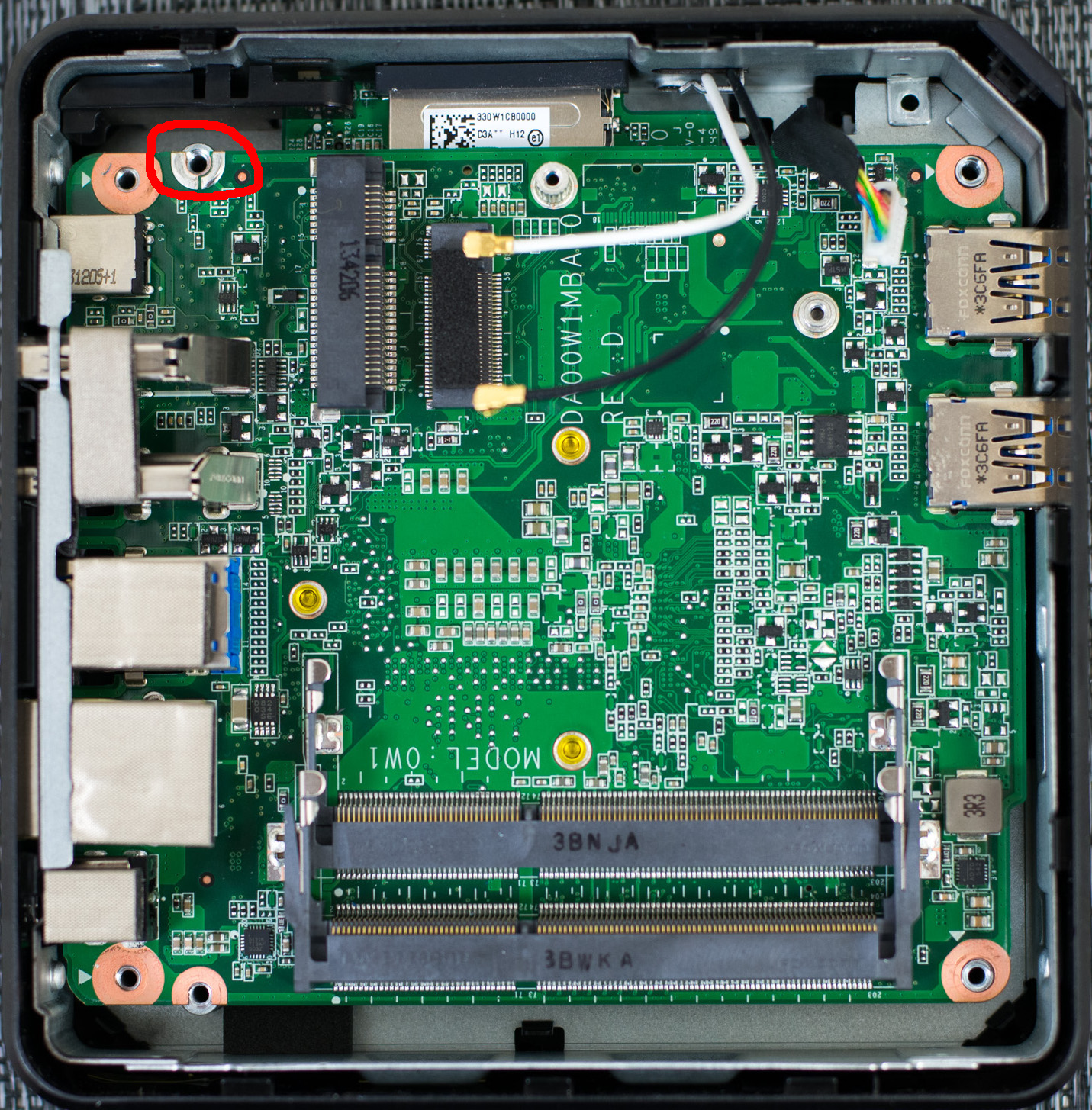
I followed the instructions (Developer Mode, terminal, run the firmware utility script) and it all worked first try.
I ran into one unique issue during this process: the CN60 does not seem to be able to connect to a high-resolution display on initial boot. For example, connecting it to my 4K monitor via HDMI or DisplayPort resulted in just a black screen, leaving me unable to get into Developer Mode. Connecting it to an older 1080p monitor worked just fine.
Installing Omarchy
With the firmware replacement done, I moved on to installing Omarchy. My first attempt at this failed: I ran out of disk space. It turns out 16GB is not enough for the Omarchy installer!
Because I wanted to see how my “normal” distribution worked (rather than some intentionally stripped-down, lightweight distro), I got a 64GB SATA SSD off eBay for $10 shipped and tried again.
This is fairly specific to Omarchy. A more lightweight distribution may work without a higher-capacity SSD.
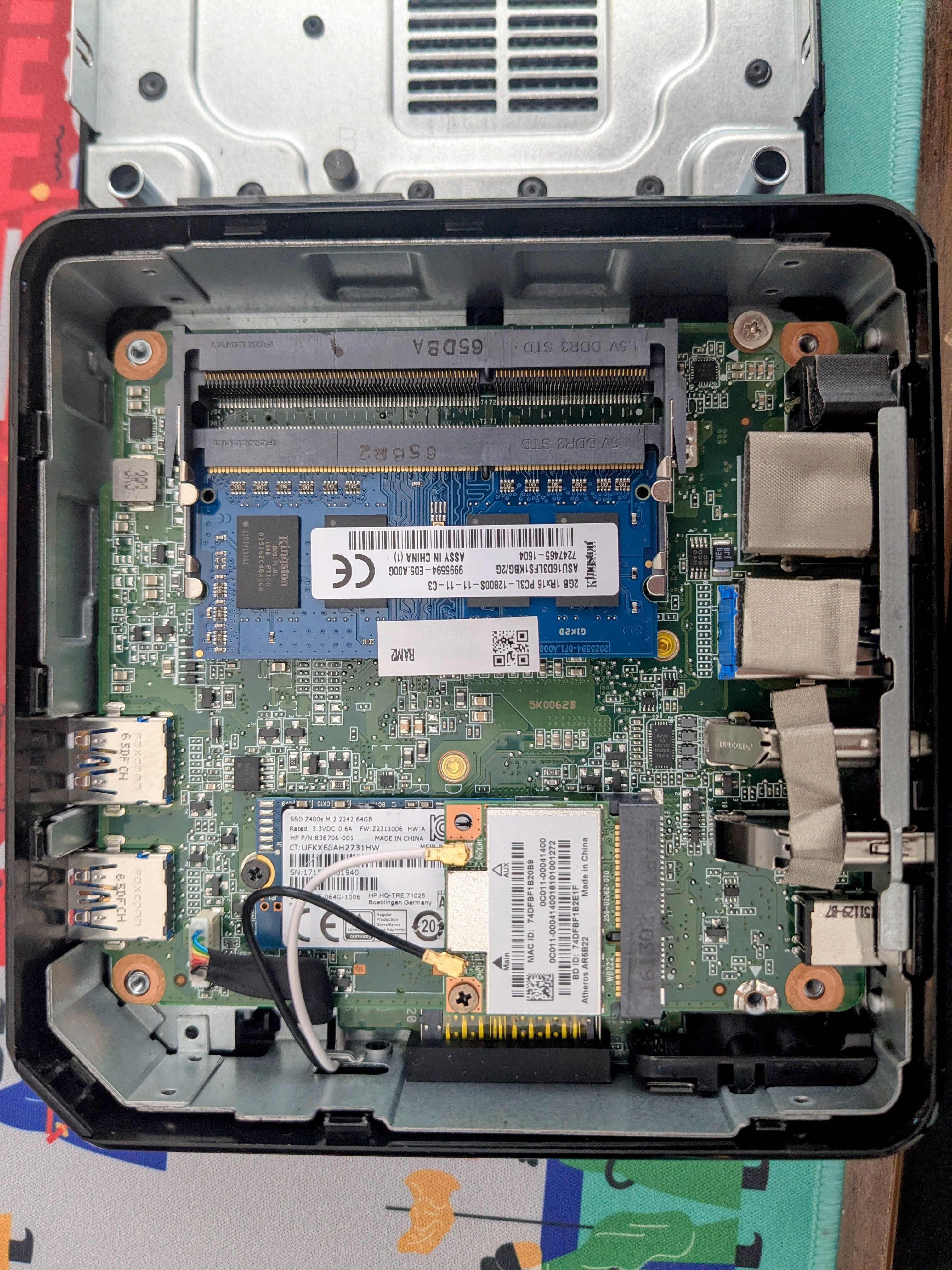
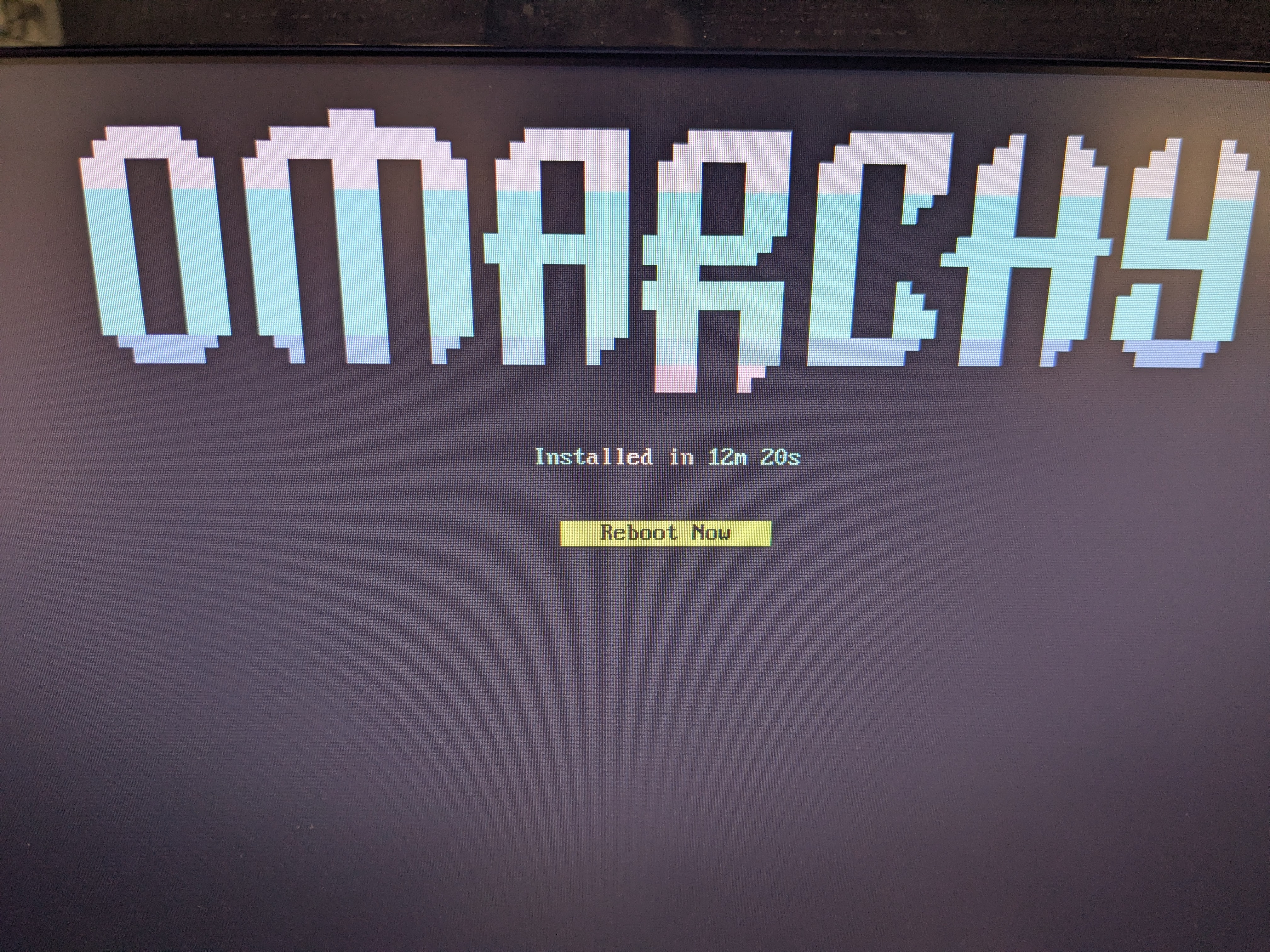
No issues!
After a reboot, I was once again surprised that everything just worked.
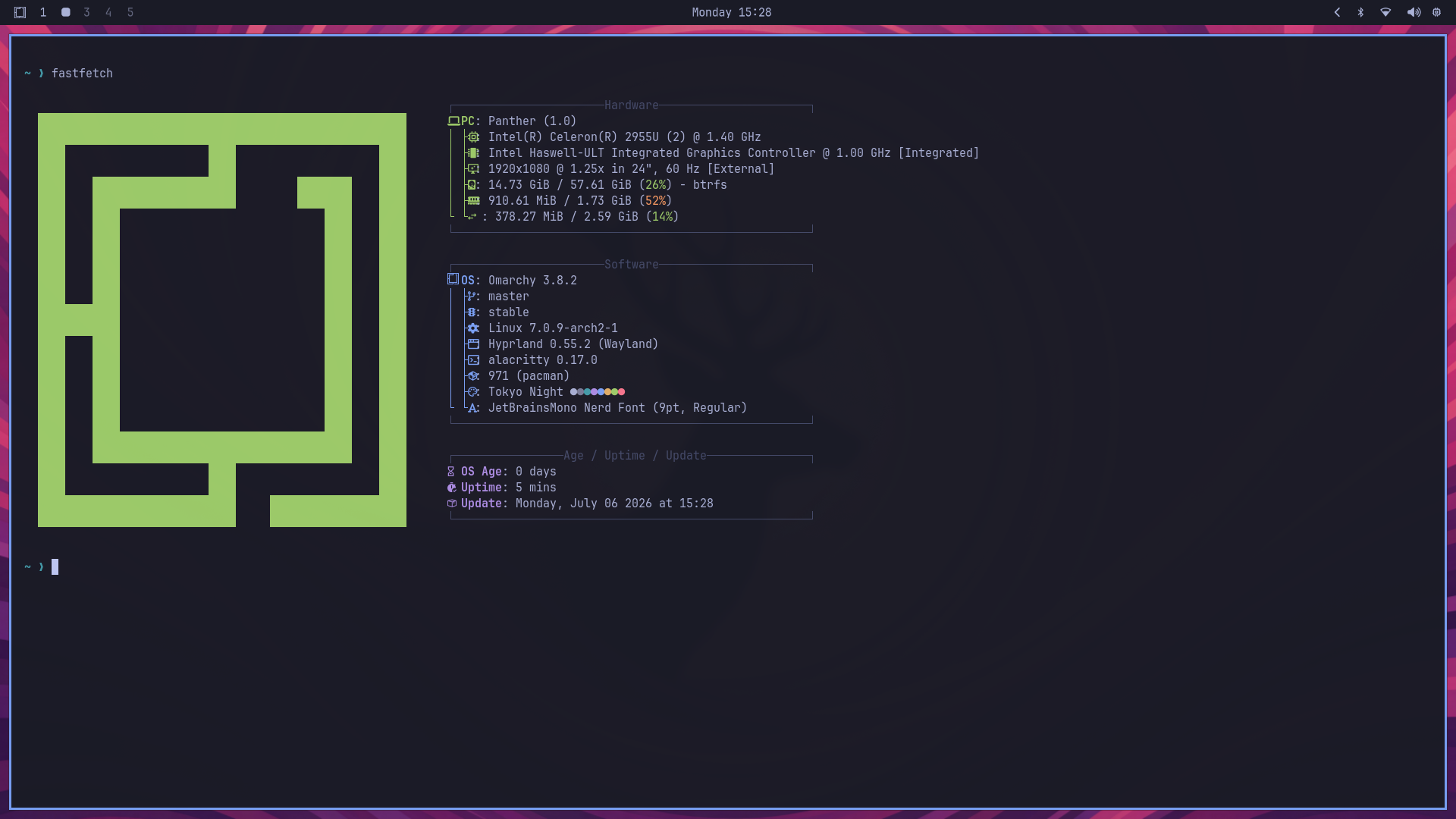
The machine is quite slow; it scores about 280/420 single-/multi-core on Geekbench 6. But slow is enough for some use cases. I also suspect adding RAM for dual-channel memory would noticeably speed things up.
Wrapping up
Of course, this machine is slow and only has 2GB of RAM (though this is upgradable). I’m not going to use it as a dev machine any time soon. But for some use cases like a silent garage PC for watching YouTube videos, this still works excellently.
The process was easy, especially compared to someone else’s experience installing Omarchy on a Chromebook.
Linux on the desktop has come a long way, and I’m impressed by the custom firmware process. I’ll definitely be keeping my eye out for other ways to make use of discarded ChromeOS hardware in the future.
If you have old hardware, I hope you give it a chance for a second life, whether that’s putting it to use yourself or passing it on cheap (or free!) to someone else.